For companies doing the work
Everyone who does the work. One operational system.
Schedule your own technicians and external crews from the same environment. Job information stays available from survey through to invoicing, with work orders that follow the trade you work in.
The trial runs 14 days and ends on a fixed date.
This is how one job runs through the system, from request to invoice.
- 01LeadA request comes in.
- 02SurveySomeone goes to look and records on the spot what is needed: measurements, photos and the questions that belong to that trade.comes back at step 4, read-only
- 03QuoteThose details land on the draft quote. The office adds the prices.
- 04Work orderOnce the customer agrees, the work order follows. The survey sits read-only beside it, so nobody changes what was agreed along the way.
- 05SchedulingThe job goes to one of your own technicians or to a hired crew.
- 06ExecutionOn site the hours, materials, photos and signature are added.
- 07InvoiceThe invoice carries the time actually booked, not the estimate from the quote.
What Solven is
Solven Systems is field service software for companies that plan and carry out work with their own staff and with hired crews. The platform connects site survey, quote, scheduling, work order and invoice around the same job, and adapts the questions and fields to the trade the company works in.
Increasingly it is not demand but available execution capacity that decides whether projects can be delivered.
In view
Four screens from the chain
Not a mock-up: these are captures from a running environment, in the same order as the work itself.


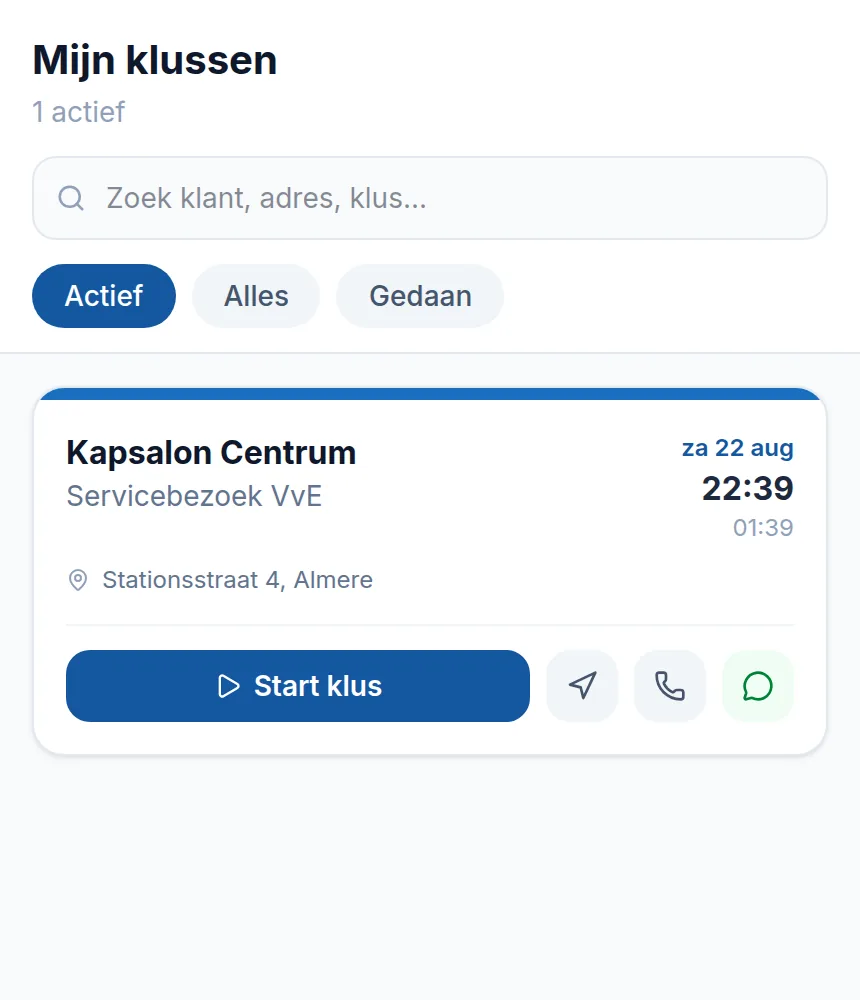
Captures from the demo environment. The data are examples, not customers.
Capacity
Scheduling does not stop at your own payroll
- In-house techniciansOne schedule
- External crewsWhat travels: set per job
An external crew logs in to its own workspace and sees the jobs assigned to it. Nothing else. Open the office screen that holds every work order and the server refuses, even when the web address is typed in directly. The list it does get holds only its own assignments.
Per job the office decides how much travels with it. At the narrowest setting the work address, customer name, phone number, customer notes and trade fields are withheld, on the mobile route and on the survey view as well. That restriction lives in one place on the server and applies everywhere the system returns a job.
What comes back matches an in-house technician: accept or decline, start, hours, photos, and a completion that arrives at the office for review. For the planner it stays one overview, whoever is driving.
Subcontractors is a separate module. It is included from Intelligence up, and can be added to any plan below that for € 39 per month.
In specialised construction, which includes the installation trades, permanent employees supply 62% of the labour needed. The rest comes from outside. (ABN AMRO, construction sector outlook)
Data
Capture once, reuse further down
The survey is recorded on site: measurements, photos and the questions that belong to the trade. Lines the technician enters can be carried over as quote lines, and the answered questions land as text on the draft quote. Prices stay an office decision, because a zero-euro line left in by accident invoices as a promise.
Once the customer approves, the work order follows from it. There the survey sits read-only beside the job: edits happen on the survey itself and not from another screen, or the freeze the rest depends on is gone. The invoice then carries the time actually booked, not the estimate that was quoted.
Trade
The base stays the same, the questions do not
A cleaning company needs floor area and access times. An electrical firm needs the number of circuits and the meter type. Solven carries fifteen trades with their own terminology, dashboard figures and default modules, and fourteen of those have their own survey and work-order questions. A trade without its own set gets the one from its parent group.
The question sets are versioned, currently at version four. A survey records which version it started on and holds on to it. Change the questions later and everything already recorded keeps the structure it was filled in with.
Roles
Everyone sees their own part
Six environments, each with its own view of the same job. What falls outside a role is not merely removed from the menu, it is closed on the server: a typed URL returns a refusal, not a screen.
Owner
Figures, margin, utilisation, plan and modules.
Back office
Survey, quote, scheduling, approval and invoicing.
Technician
Day schedule and work order on a phone, offline included.
External crew
Its own workspace holding only its assignments.
Customer portal
View quotes, approve, follow the request.
Quote portal
A secure link that lets a customer sign without an account.
AI
AI in three places in the workflow
Three functions with a working call today. Nothing beyond that is promised.
- 01
Draft a quote
Describe the job in plain language and pick the customer. You get back a draft quote that you adjust and price yourself.
- 02
Complete a work order
The technician gets a checklist of what the order still lacks, plus a suggested completion note and materials used. The checklist works with the AI switched off too.
- 03
Questions about your own data
Ask in plain language about revenue, customers or open work orders and get the answer from your own environment.
The AI is off by default, runs inside your own company environment, and every use is written to the audit log.
Permissions
Who gets to see what
Solven runs your administration, so the separation between companies and between roles sits in every layer of the platform and is tested automatically. Not only in the screen, on the server as well.
- A technician sees their own work, no margins and no invoices.
- An external crew sees only its assignments, in the width the office sets per job.
- Approvals, edits, deletions and logins are in the audit trail, with timestamp and user.
Price
What it costs
| Plan | per month | Users | Extra user |
|---|---|---|---|
| Solo | € 79 | 1 | — |
| Starter | € 149 | 2 | € 69 |
| Growth | € 349 | 5 | € 59 |
| Core | € 699 | 10 | € 49 |
| Intelligence | € 1,299 | 20 | € 35 |
Amounts per month, excluding VAT.
See the plans and what they includeQuestions
Frequently asked questions
Can an external crew see only its own jobs?
Yes. An external crew works in its own workspace and only receives the jobs assigned to it. The regular office work-order page is closed to it. Per job the office also decides how much customer information travels along; at the narrowest setting the work address, customer name, phone number and trade fields are withheld. This is enforced on the server, not in the screen.
Can a site survey flow through to a quote?
Lines entered during the survey can be carried over as quote lines, and the answered trade questions land as text on the draft quote. Amounts are not filled in automatically: pricing stays an office decision.
Does a work order turn into an invoice?
After the completed work order is approved, the draft invoice is ready with the materials from the order and the time actually booked, not the estimate that was quoted. Approved additional work holds the invoice until the office has processed it.
Does the work order differ per trade?
Yes. Solven carries fifteen trades with their own terminology and default modules; fourteen of those have their own survey and work-order questions. The question sets are versioned: a survey keeps the version it was created with, so later changes leave existing records alone.
Does the app work without a connection?
Yes. Hours, materials, photos and signature are captured on site and synchronise once there is a connection again.
Who is Solven built for?
Installation, service, maintenance and cleaning companies that work with their own people and subcontract part of the job. Subcontractors is a separate module: included from Intelligence up, and available on any plan below that for € 39 per month.
Can I try Solven first?
You can start a 14-day trial with your own environment and an import for customers and materials. It ends on a fixed date, after which you pick a plan. Environments arranged on request get 30 days.
Getting started
See whether this fits the way you work
In a demo we walk through your own chain, from site survey to invoice, including the part you subcontract. Prefer to look around yourself? We will set up a trial environment.
The trial runs to a fixed end date. After that you pick a plan or it stops.