Features
Every feature. One workflow.
Each module solves a concrete problem and hands its work to the next step. That is how double data entry disappears from your business.
The chain
From request to invoice
What starts at the customer and what has to travel with it, in the order the work happens.
CRM & customer management
Without Solven: Customer information scattered across email, spreadsheets and people’s heads.
One customer record with sites, contacts, documents, notes and the full history from quotes to invoices.
- Multiple sites per customer
- Documents & notes in one place
- Timeline of every interaction
Survey & quotes
Surveys on paper, quotes that sit for days.
Digital surveys with photos and checklists, quotes from templates and digital approval by the customer via the portal.
- Quote templates
- Digital signature
- Automatic follow-up on open quotes
Scheduling & dispatch
Scheduling in a spreadsheet or on a whiteboard, with no overview.
A planning board with capacity, availability and conflict monitoring; unscheduled jobs land in the backlog automatically.
- Drag & schedule per technician
- Capacity & conflict monitoring
- Recurring work orders
Technician app
Paper dockets that get lost and have to be re-typed in the evening.
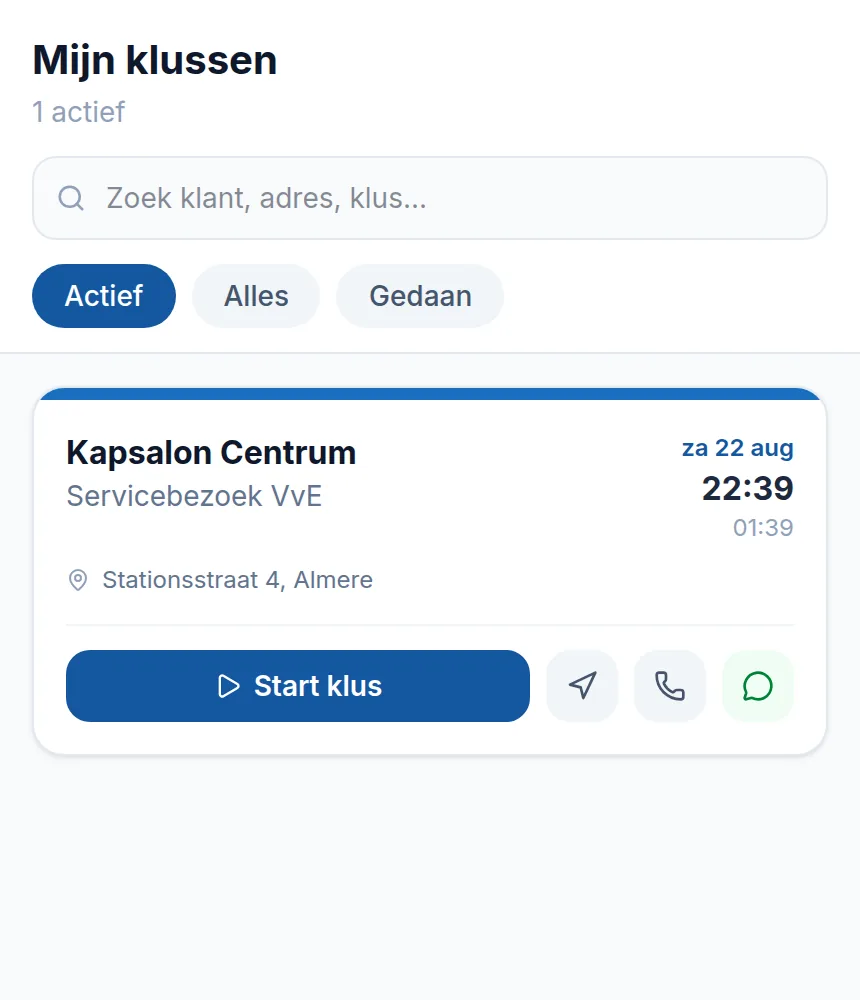
The technician sees their daily schedule, clocks hours, logs materials, takes photos and has the customer sign digitally, offline too.
- Keep working offline
- Photo requirements per job type
- Signature on site or a logged exception
Invoicing & cash flow
Invoices that go out weeks after the job.
After the work order is approved, the draft invoice is ready automatically: hours, materials, a payment link and automatic reminders.
- Automatic invoice after approval
- Payment links & reminders
- Accounting sync (Exact & Moneybird)

Money and customer
Getting paid without chasing
What happens after delivery, and what the customer can see and approve themselves.
Automatic collection with Solven Pay
Without Solven: Chasing your money and endlessly resending payment links.
Customers give a one-off SEPA mandate; after that Solven collects outstanding invoices automatically on the due date, straight into your own account via your connected Mollie account.
- One-off mandate, then automatic
- Money into your own account (Mollie Connect)
- Transparent fee: 0.5% + €0.25 per collection
Customer portal
Endless emailing about status, approval and documents.
Customers view quotes, approve digitally or reject with a reason, and follow their request in a secure portal.
- Digital approval with audit trail
- Request a fresh access link themselves
- All documents in one place
Steering
What sits on top
Figures, stock, templates and the assistant: parts that lean on the chain rather than sit inside it.
AI assistant
Without Solven: Plenty of data, but no time to do anything with it.
Ask questions in plain language, have text and summaries written, and receive daily signals about things that need attention.
- Questions about your own business data
- Daily signalling
- Text suggestions for quotes and emails
Reporting & Business Intelligence
Steering on gut feel because the numbers are buried.
Dashboards for revenue, margin, utilisation and performance per technician, plus exports for your accountant.
- Executive dashboard
- Margin & revenue analysis
- Performance per technician
Materials & stock
Material usage that gets recorded nowhere.
Materials management with prices, usage per work order and automatic pass-through onto the invoice.
- Materials catalogue
- Usage per job
- Automatically on the invoice
Templates & branding
Every quote and invoice looks slightly different.
Professional PDF templates for quotes, work orders and invoices in your own branding.
- Your own logo and branding
- PDF export
- Consistent look and feel

Further
What goes with this
The chain above works the same for your own technicians and for hired crews. What differs per trade is the questions on the survey and the fields on the work order.
Getting started
See whether this fits the way you work
In a demo we walk through your own chain, from site survey to invoice, including the part you subcontract. Prefer to look around yourself? We will set up a trial environment.
The trial runs to a fixed end date. After that you pick a plan or it stops.